Verifying your access token
The /ordninger/ endpoint can be used to verify that your access token is valid and has the necessary permissions to access the FinAutCRM API.
Using cURL
To verify your access token, make a GET request to the /ordninger/ endpoint with the Authorization header set to Bearer YOUR_ACCESS_TOKEN. Here is an example using cURL (use wsl if you are on Windows):
curl -X GET https://crm.norsktest.no/api/v1/ordninger/?page=1&page_size=20    \
  -H "accept: application/json"                                                \
  -H "Authorization: Bearer eyJhbGciOiJIUzI1NiIsInR5cCI6IkpXVCJ9.eyJzdWIiOiJjbGllbnR..."
If your access token is valid, you will receive a JSON response containing a list of “ordninger” (schemes). If the token is invalid or expired, you will receive an error message indicating that the token is not valid.
using the /docs page
You can also use the interactive Swagger UI - https://crm.norsktest.no/docs
to verify your access token. Simply navigate to the /ordninger/ endpoint, click on “Try it out” (remember you must
Authorize with your access_token before accessing the endpoint).
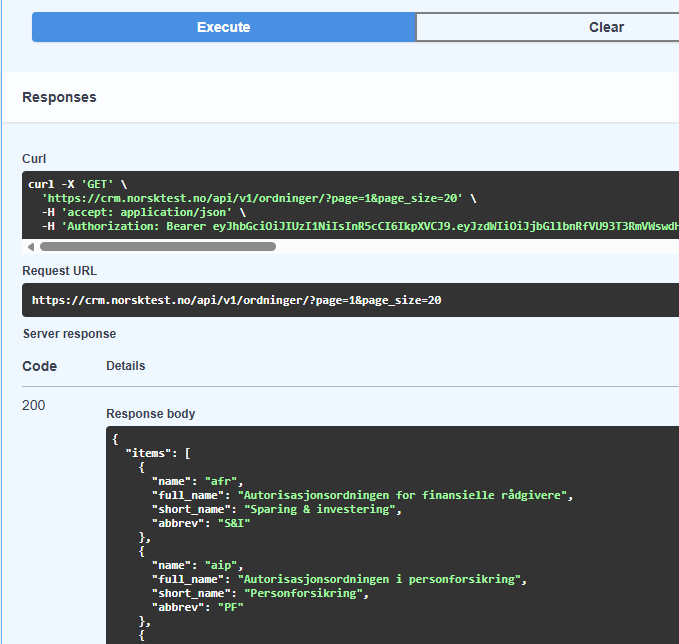
If your token is valid, you will see the response with the list of “ordninger”. If the token is invalid or expired, you will see an error message in the response section.
{
  "error": "HTTP_401",
  "message": "Could not validate credentials",
  "path": "/api/v1/ordninger/",
  "method": "GET",
  "timestamp": 1764527535.0990767,
  "request_id": "cb71004d-b3f7-4756-843e-3b569a79dc1d"
}