Getting an access token
Warning
Remember to keep your client secret confidential and secure (the client credentials used in the examples below are for demonstration purposes only and have been deleted).
You’ll need your client ID and client secret to obtain an access token for the FinAutCRM API.
Using cURL
To obtain an access token, make a POST request to the token endpoint with your client credentials. Here is an example using cURL:
curl -X POST "https://crm.norsktest.no/api/v1/auth/token"     \
  -H "Content-Type: application/json"                         \
  -d '{                                                       \
    "client_id": "your_client_id",                            \
    "client_secret": "your_client_secret",                    \
    "grant_type": "client_credentials",                       \
    "scope": "read write"                                     \
  }'
Here I’m piping the output to jq . to pretty-print the JSON response. You can omit that part if you don’t have jq installed.
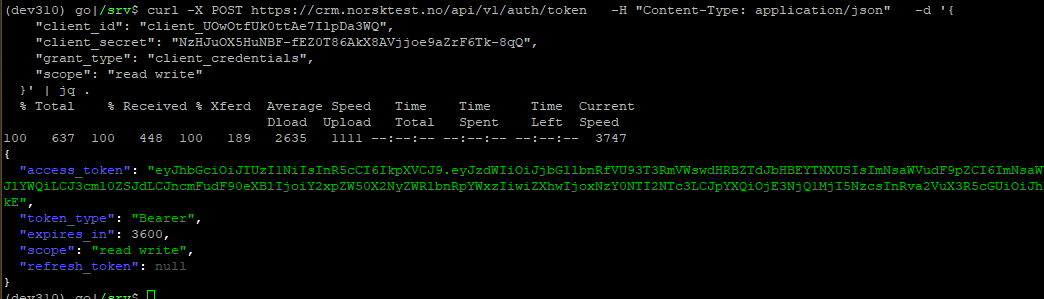
using the /docs page
You can also use the interactive Swagger UI available at https://crm.norsktest.no/docs to obtain an access token. Simply navigate to the /auth/token endpoint, fill in your client ID and client secret, and execute the request to receive your access token.
Note
You must click on “Try it out” before you can fill in the fields.
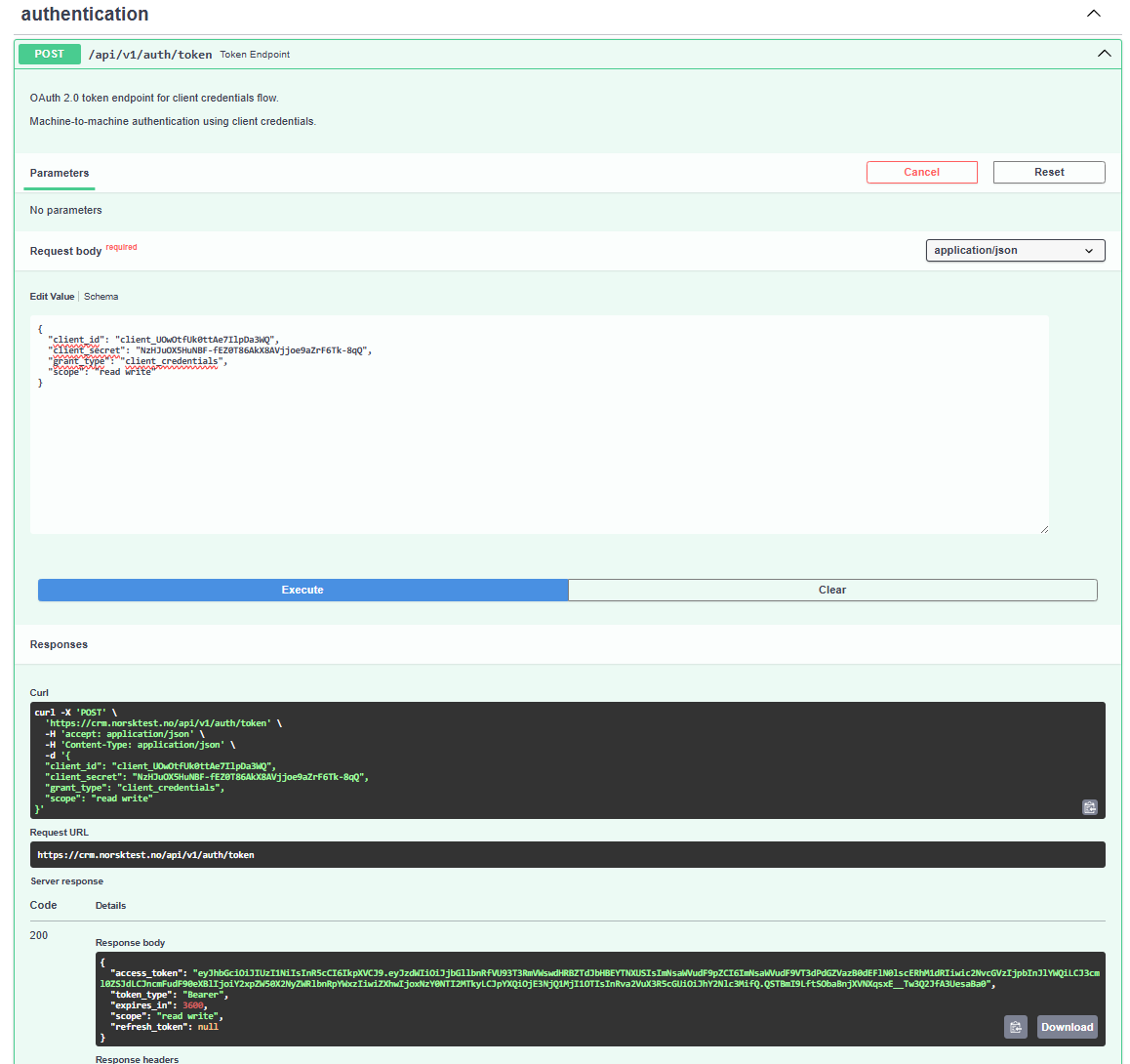
Note
you need to Authenticate with the access_token you receive to make further API calls. Use the “Authorize” button in the Swagger UI to enter your token (top right on the page).
ps: you’ll need to logout enter a new token later if your token expires.